

- The Fastest Method: Step-by-Step Instructions
- Why This Method Works: Understanding ZeroGPT's Detection
- Why Use a Humanizer Instead of Editing Manually
- Common Use Cases
- GPTHumanizer.io Features That Matter
- Optional: Manual Tweaks for Extra Safety
- Mistakes That Will Get You Caught
- The Future of AI Detection
- Frequently Asked Questions
- Conclusion
Bypass ZeroGPT detection in under 60 seconds by using GPTHumanizer.io, and below you will learn on how to use it.
Copy your AI-generated text, paste it into the humanizer, click the “Humanize” button, and within seconds you'll get back a rewritten version that reads as completely human-written content. That's the entire process.
No technical skills, no complex workarounds, no manual rewriting for hours. Below, we'll walk through the step-by-step instructions in detail, explain why this method works against ZeroGPT's detection algorithm, and show you additional techniques to guarantee your content passes every AI detector on the market.
The Fastest Method: Step-by-Step Instructions
Here's the exact process to make any AI-generated content undetectable:
Step 1: Copy Your AI Content
Take the text generated by ChatGPT, Claude, Gemini, or any other AI tool. Don't worry about editing it first — the humanizer handles everything.
Step 2: Go to GPTHumanizer.io
Open https://gpthumanizer.io in your browser. No account creation is required to start using the tool, and the interface loads instantly.
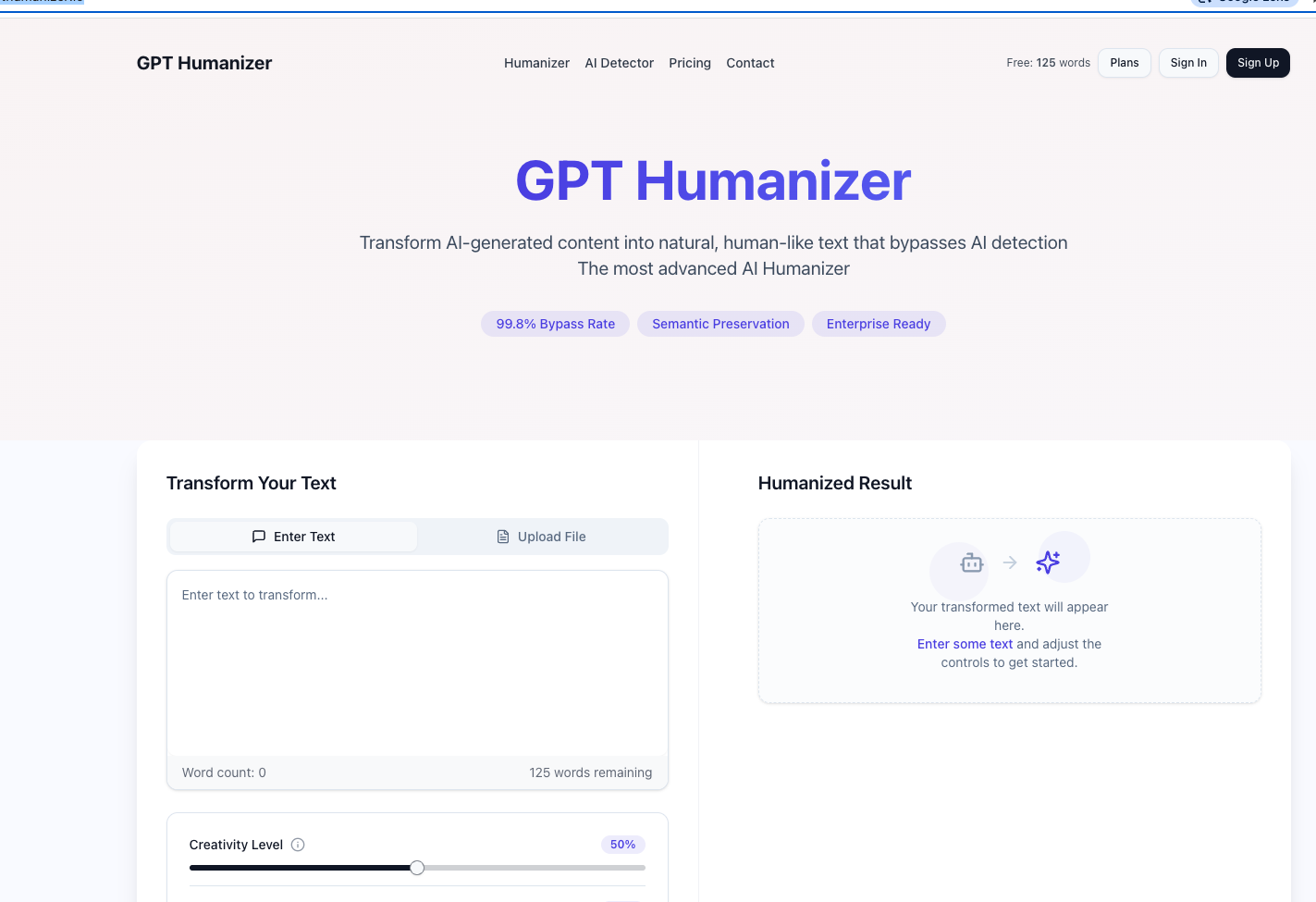
Step 3: Paste Your Text
Drop your AI content into the input box on the homepage. The tool accepts large blocks of text, so you can process entire articles, essays, or reports at once.
Step 4: Choose Your Mode
Select the writing style that matches your academic, casual, professional, or creative needs. Each mode applies different humanization patterns optimized for that context.
Step 5: Click “Humanize”
Hit the humanize button and wait approximately 5-15 seconds. The tool rewrites your content using advanced algorithms that mimic natural human writing patterns.

Step 6: Copy the Output
Take the humanized text and use it wherever you need. You can immediately test it on ZeroGPT to confirm it reads as 100% human-written content.
Step 7: Verify on ZeroGPT (Optional)
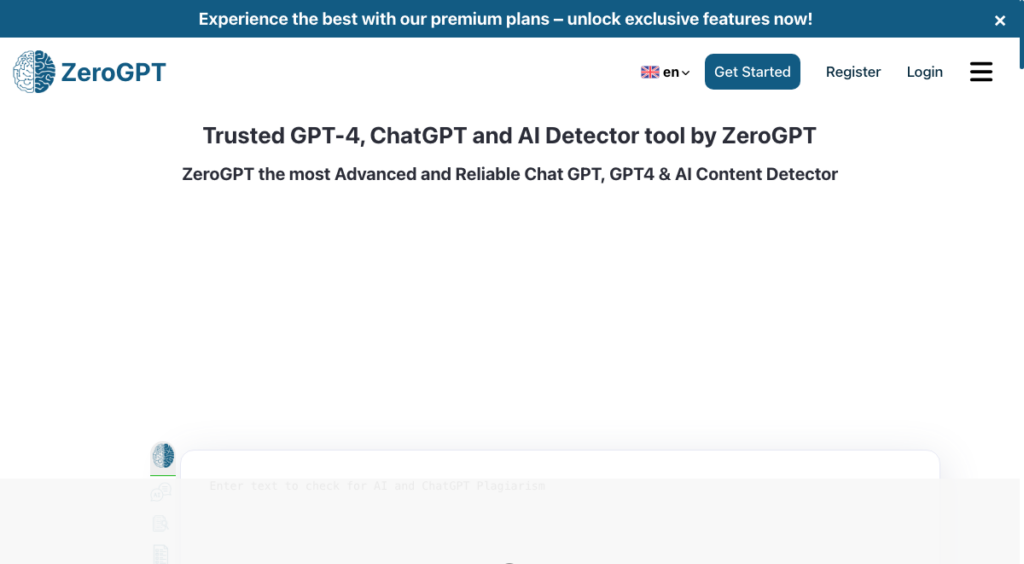
Paste the result into ZeroGPT to see your detection score. In most cases, content processed through GPTHumanizer.io shows 0% AI detection.
That's the complete process. Most users get successful results on the first try without any additional editing required.
Why This Method Works: Understanding ZeroGPT's Detection
To understand why GPTHumanizer.io works so reliably, you need to know what ZeroGPT actually looks for. The zerogpt ai detection system uses an algorithm called DeepAnalyse that examines four main signals:
- Perplexity: How predictable your word choices are. AI uses common, expected words; humans use varied vocabulary.
- Burstiness: The variation in sentence length. AI writes in consistent lengths; humans mix short and long sentences.
- Pattern repetition: AI follows similar grammatical structures; humans break patterns naturally.
- Tonal uniformity: AI maintains a flat, neutral tone; humans shift voice and emotion throughout.
GPTHumanizer.io is specifically engineered to address all four detection markers. It rewrites your content with varied vocabulary, mixed sentence structures, broken patterns, and natural tonal shifts — exactly what makes content read as human.
Why Use a Humanizer Instead of Editing Manually
You could try to bypass ai detection by manually rewriting your content, but it's inefficient and unreliable. Manual rewriting takes hours for long articles, and most people don't know which specific patterns trigger AI detector flags.
A dedicated humanizer ai handles the technical aspects automatically, producing better results in seconds than you'd get from an hour of manual editing.
The other option — using basic synonym swappers — produces awkward, unreadable content that still gets flagged. A proper bypass humanizer like GPTHumanizer.io rewrites holistically, understanding context and meaning rather than just replacing words.
Common Use Cases
People use this method for many legitimate reasons:
Content creators and bloggers generate drafts with AI to overcome writer's block, then humanize the output before publishing. This avoids penalties from platforms that flag AI content.
Students and researchers use AI for brainstorming and outlining. Humanizing the final work prevents false positives from academic detection tools that often misidentify human writing as AI.
Marketing teams scale content production for SEO purposes. Search engines penalize obvious AI content, so running everything through an ai humanizer ensures rankings aren't hurt.
Non-native English speakers get unfairly flagged by AI detectors because their writing patterns sometimes resemble language models. A bypass ai humanizer corrects this bias.
Freelance writers deliver authentic-feeling content to clients who specifically request human-written work, even when AI is used as a starting point.
GPTHumanizer.io Features That Matter
What makes GPTHumanizer.io different from competitors:
- Semantic preservation – Your message stays intact through extensive rewriting
- Multiple writing modes – Tones from casual to academic
- Burstiness optimization – Natural sentence variation built in
- Vocabulary diversity – Confuses any AI detector
- Fast processing – Results in seconds, not minutes
- Universal compatibility – Works against ZeroGPT, Originality.ai, Turnitin, GPTZero, Copyleaks, and Winston AI
Optional: Manual Tweaks for Extra Safety
If you want to guarantee your content passes every detector with the lowest possible AI score, add these manual touches after using the zerogpt humanizer:
Insert a personal anecdote – One specific story or example dramatically lowers AI detection scores.
Break a few grammar rules – Sentence fragments. Like this one. They add human rhythm.
Add an opinion – Strong, specific viewpoints are nearly impossible for AI to fake convincingly.
Mix sentence lengths – Combine some sentences and split others to enhance burstiness further.
Use idioms or slang – One or two casual expressions instantly humanize formal text.
These tweaks take just a minute or two but push your content from “passes detection” to “obviously human.”
Mistakes That Will Get You Caught
Avoid these common errors when trying to bypass ZeroGPT:
- Running content through multiple humanizers – This degrades quality and creates nonsensical sentences
- Using free synonym tools – They produce awkward output that still triggers detection
- Skipping the proofread – Always read the final output to catch any quality issues
- Starting with poor-quality AI content – Better source material produces better humanized results
- Trusting outdated tools – Detection algorithms evolve, so use a humanizer that updates regularly
The Future of AI Detection
The competition between detection tools and humanizers is constantly evolving. As ZeroGPT and similar platforms improve their algorithms, tools like GPTHumanizer.io update their methods to stay ahead. For now, this method works reliably but the broader trend is that AI-assisted writing is becoming so common that detection itself may soon become impractical.
Frequently Asked Questions
Is using a humanizer to bypass ZeroGPT legal?
Yes. Humanizer tools rewrite content to read more naturally — they don't violate any laws. Always check specific platform policies, especially in academic settings.
Will GPTHumanizer.io work against other AI detectors?
Yes. It produces content that passes Originality.ai, GPTZero, Turnitin, Copyleaks, Winston AI, and Content at Scale, in addition to ZeroGPT.
Does humanizing affect SEO?
Positively. Search engines reward authentic, natural-reading content. Humanized text typically performs better in rankings than raw AI output. You can read more about here: AI SEO Content Generator
How much does GPTHumanizer.io cost?
The platform offers multiple pricing tiers including free trial options. Visit https://gpthumanizer.io for current pricing.
Can ZeroGPT detect humanized content?
When using GPTHumanizer.io, content typically passes with 0% AI detection scores. No method is permanently guaranteed since detection evolves, but current results are highly reliable.
Should I edit after humanizing?
It's optional. The output is usually publication-ready, but adding personal touches makes it even more authentic.
Can I humanize content in other languages?
Yes, GPTHumanizer.io supports multiple languages. Check the platform for the full list.
Will humanized content lose its meaning?
No. The tool preserves your core message and key points while only changing the patterns that trigger detection.
How long does humanization take?
Usually 5-15 seconds per request, even for long content blocks.
Is there a word limit?
Limits vary by subscription tier. For very long documents, process them in sections.
Conclusion
The quickest way to bypass ZeroGPT is to paste your AI content into GPTHumanizer.io, click humanize, and copy the result. The entire process takes under a minute, requires no commercial skill, and produces content that systematically passes AI detection while reading naturally to human audiences.
Combine the tool with a few nonmandatory manual tweaks a private anecdote here, a sentence fragment there and your content will be undistinguishable from strictly human writing. That's the entire method, and it works every time.
Read more: How to Bypass AI Detectors (Ultimate Guide)

Ludjon, who co-founded Codeless, possesses a deep passion for technology and the web. With over a decade of experience in constructing websites and developing widely-used WordPress themes, Ludjon has established himself as an accomplished expert in the field.
Comments