

- What Is a Claude Humanizer?
- A Free GitHub Project for Humanizing Claude Content
- Where to Find Claude Humanizer Online
- How to Humanize Claude Content Effectively
- Claude Humanizer Before-and-After Example
- Does Claude Watermark Its Text?
- Can a Claude Humanizer Remove the Watermark?
- Frequently Asked Questions
- Conclusion
A Claude humanizer helps edit AI generated content into clearer, more natural writing and remove watermarks.
Anthropic has announced text watermarking for supported Claude models, introducing a machine-detectable signal intended to help identify AI-generated content. The Verge's coverage of Claude's watermarking announcement puts this development in the spotlight for writers, publishers, and businesses using AI.
According to Anthropic's explanation, the text watermark works through statistical patterns in word selection, not hidden characters or a visible label. This makes watermarking a separate issue from the repetitive phrasing and generic language readers sometimes notice in AI writing.
In this guide, we explain how to humanize Claude content with a free GitHub skill, introduce the online option ClaudeHumanizer, and clarify what Claude's text watermark means for your editing workflow.
You can approach this with an open-source GitHub skill or explore an online option such as ClaudeHumanizer. Before choosing a tool, it helps to understand the difference between improving writing and removing a text watermark.
What Is a Claude Humanizer?
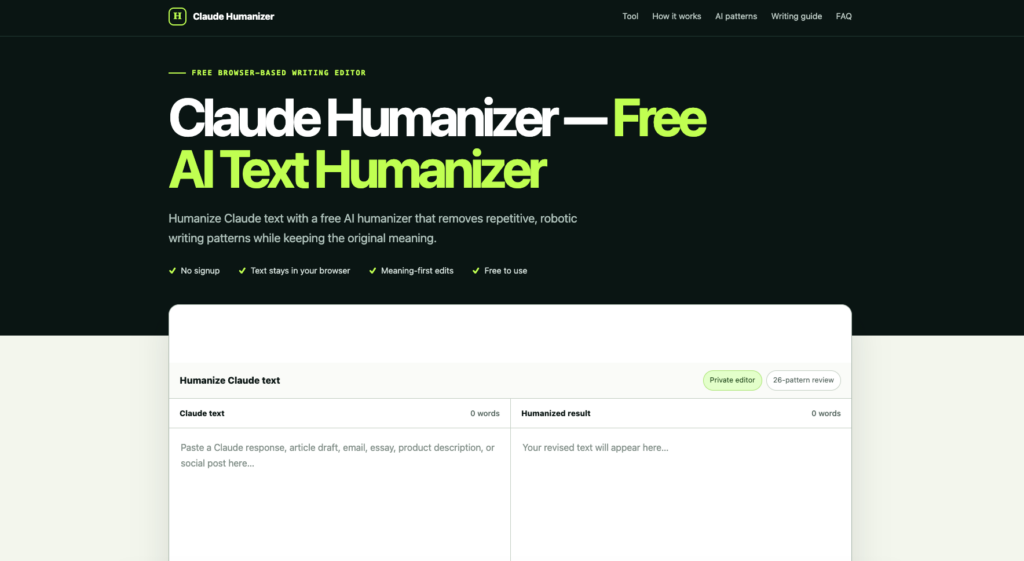
A Claude humanizer is a tool or editing workflow for revising text generated by Claude with watermarks. It can help simplify awkward sentences, remove unnecessary introductions, and replace generic claims with useful explanations.
Humanizing content should also involve your own judgment. A rewrite becomes more useful when you add relevant experience, verify claims, and explain the details your audience actually needs.
A Free GitHub Project for Humanizing Claude Content
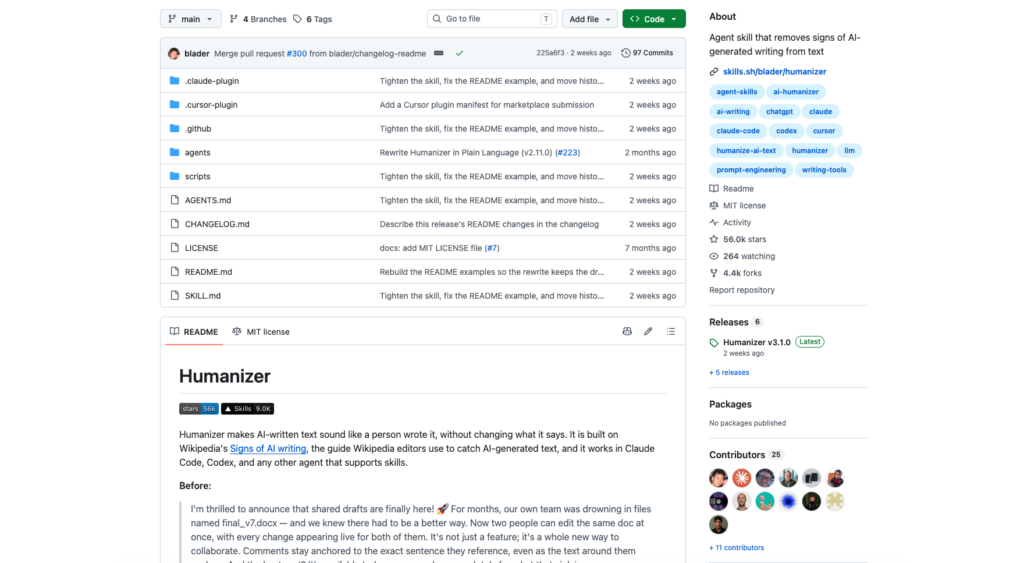
One available project is blader/humanizer on GitHub. More precisely than a conventional software library, it is an MIT-licensed agent skill containing instructions for editing AI-generated writing.
The project targets patterns such as exaggerated claims, staged introductions, and repetitive sentence structures. Its documentation explicitly prioritizes readability rather than bypassing AI detectors.
How to Install the Humanizer in Claude Code
The repository documents the following plugin installation commands for Claude Code. Check its README for current compatibility requirements before installing.
/plugin marketplace add blader/humanizer
/plugin install humanizer@humanizer
After installation, invoke the plugin and provide your draft:
/humanizer:humanizer

Edit this draft for clarity and a natural tone.
Preserve facts, links, quotations, and technical terms.
Do not invent personal experiences or supporting evidence.

[Paste your draft here]
You can also include a short sample of your own writing to guide the voice. The skill itself is free, but using the underlying AI service may involve subscription or usage charges.
Where to Find Claude Humanizer Online
For an online option, visit ClaudeHumanizer. Check the website for its available rewriting features, current usage limits, and any source-code attribution.
If you prefer using a hosted service, review its handling of submitted text before entering unpublished or confidential material. Browser access alone does not establish that processing happens entirely on your device.
When comparing an online humanizer with a GitHub project, look for a direct repository link. Similar names do not establish that two tools use the same implementation.
You can also compare other options in our guide to the best AI humanizer tools and choose one that fits your editing workflow.
How to Humanize Claude Content Effectively
1. Give the Draft a Specific Audience
Decide who will read the content and what they need to understand. A tutorial for beginners needs different explanations from an article written for experienced developers.
Include that audience in your editing instructions. Ask for concrete explanations and identify any technical terms that should remain unchanged.
For more practical editing tips, read our guide on how to make AI not sound like AI, including ways to reduce repetition and give your writing a more natural voice.
2. Replace Vague Claims With Useful Details
Phrases such as “transform your workflow” often leave the reader wondering what actually changes. Explain the action, result, or limitation instead.
If a useful detail is missing, research it or supply it yourself. Do not ask the humanizer to invent statistics, customer stories, or personal experience.
3. Edit the Structure, Not Just Individual Words
A synonym replacement does little for a paragraph that repeats the same idea three times. Remove redundant sentences and put the main point where readers can find it quickly.
Keep paragraphs focused and let sentence length vary naturally. Read the result aloud to catch awkward transitions and phrasing you would never use yourself.
4. Check the Rewrite Against the Original
Compare names, numbers, dates, citations, and technical explanations. A smoother sentence is not an improvement if it changes the underlying claim.
Pay particular attention to qualifications such as “may,” “usually,” and “under these conditions.” Removing them can make a careful statement misleading.
Claude Humanizer Before-and-After Example
Original draft:
In today's rapidly evolving digital landscape, effective collaboration plays a pivotal role in empowering teams to unlock their full potential.
Edited version:
Teams need a clear way to share updates, assign work, and resolve questions.
The edited version gives the reader something concrete to understand. It removes the broad introduction without adding invented evidence.
Does Claude Watermark Its Text?
Anthropic has documented text watermarking for supported Claude models, with older models undergoing a separate rollout. Its official explanation describes a version of Google's SynthID-Text approach.
The system uses a key and preceding text to influence randomness when selecting among plausible next words. Across a passage, those choices create a statistical pattern that a compatible detector can evaluate.
Is the Watermark Made of Hidden Characters?
No. Anthropic says it adds no hidden characters, extra tokens, or identifying information about the user, organization, or conversation.
Removing unusual spaces or pasting as plain text therefore does not establish that this watermark is gone.
What Can the Watermark Show?
According to Anthropic, detection indicates likely Claude involvement rather than proving that Claude authored the entire document. Short passages and lightly proofread text may provide too little signal.
Its documentation describes detection access through a private-preview API for eligible organizations. Ordinary AI-writing classifiers use a different approach.
Can a Claude Humanizer Remove the Watermark?
Improving readability does not prove that a watermark has been removed. Anthropic says light editing may leave the signal intact.
A tool's rewriting feature, marketing claim, or third-party detector score is not evidence that it can verify removal of Claude's production watermark. That claim requires testing against an appropriate detector.
Evaluate a humanizer by the quality and accuracy of its edits. Preserve any AI-use disclosures required by the publication, client, or institution receiving your work.
Frequently Asked Questions
Is the GitHub Humanizer Free?
The blader/humanizer skill is available under the MIT license. Model access and hosted services can have separate costs.
Can I Humanize Claude Content Without Coding?
Yes. You can edit the draft manually or explore an online service such as ClaudeHumanizer, checking its current features and terms before use.
The best way is to use GPTHumanizer, which is premium tool and rewrite the content at all.
Will Humanizing Text Improve Its Search Rankings?
A rewrite alone does not guarantee better rankings. Focus on answering the reader's question, verifying facts, and adding useful information that the original draft lacks.
Conclusion
A Claude humanizer can support your editing process, whether you use a GitHub skill or an online tool. Give it a clear audience, preserve factual details, and review the finished text in your own voice.
Treat watermarking as a separate technical issue. Clearer writing is a result you can assess directly; verified watermark removal requires evidence beyond a more natural-sounding paragraph.

As one of the co-founders of Codeless, I bring to the table expertise in developing WordPress and web applications, as well as a track record of effectively managing hosting and servers. My passion for acquiring knowledge and my enthusiasm for constructing and testing novel technologies drive me to constantly innovate and improve.
Expertise:
Web Development,
Web Design,
Linux System Administration,
SEO
Experience:
15 years of experience in Web Development by developing and designing some of the most popular WordPress Themes like Specular, Tower, and Folie.
Education:
I have a degree in Engineering Physics and MSC in Material Science and Opto Electronics.





Comments