

The best WordPress hosting plan depends on your site, budget, and the amount of maintenance you want the provider to handle. Compare the full upfront charge, renewal rate, resource limits, backups, and support scope before choosing.
This guide compares 12 providers and reviews their published offers. It does not establish a universal speed winner or assign new customer-review scores.
Shortlist by use case:
- Bluehost — compare for several small sites.
- Hostinger — compare for a long-term budget project.
- Cloudways — compare for managed cloud hosting with configurable resources.
- Kinsta — compare for a larger managed-hosting budget.
- SiteGround — compare for a one-site annual entry plan.
- HostGator — check the current package against your requirements.
Existing providers checked September 15, 2026; Cloudways added and checked September 17, 2026. Numeric prices below are USD. Offers vary by region, currency, billing term, and account. A monthly equivalent may require payment for several years. Where a reliable numeric quote was not available, use the linked current plan page.
About the screenshots: Original logos, pricing images, the setup video, and performance screenshots are retained as archive material. They may show old plans or interfaces. They are not evidence of current pricing or a standardized comparison of today’s performance. Recommendations here use published plan information; no new speed or support tests were run.
| Provider | Plan compared | Starting price | Billing basis | Renewal / ongoing price |
|---|---|---|---|---|
| Bluehost | Starter | $3.99/month | 36 months prepaid | $9.99/month equivalent |
| Hostinger | Premium | $2.99/month | 48 months prepaid | $10.99/month equivalent |
| Cloudways | Flexible | Check selected server quote | Usage-based cloud hosting | Depends on resources and extras |
| Kinsta | Single 20GB | $35/month after promotion | Monthly option | $35/month on selected option |
| SiteGround | StartUp | $2.99/month | 12 months prepaid | $17.99/month equivalent |
| HostGator | Confirm current plan | Check live quote | Depends on selected plan | Confirm at checkout |
| WP Engine | Managed hosting configuration | Check live quote | Depends on configuration | Confirm in quote |
| hosting.com (formerly A2 Hosting) | Current hosting.com offer | Check live quote | Depends on selected plan | Confirm at checkout |
| DreamHost | WordPress Hosting Launch | Check local-currency quote | Term-dependent offer | Confirm selected currency and term |
| Flywheel | Current WordPress plan | Check live quote | Confirm monthly or annual option | Confirm in quote |
| GoDaddy | Managed WordPress Basic | $6.99/month introductory | First 12-month term | Confirm recurring quote |
| Nexcess / Liquid Web | Essentials WordPress | Check live quote | Monthly or annual selection | Confirm selected plan |
Check the renewal term, tax, domain and email renewals, and add-ons before payment. The sections below link to the official sources. For context about the platform itself, see our WordPress statistics guide.
The Best WordPress Hosting Providers Compared
1. Bluehost

- 10 websites
- 10 GB shared NVMe storage
- Weekly backups
- $3.99/month
- 36 months prepaid
- Ongoing: $9.99/month equivalent
Reasons to consider and trade-offs
Reasons to consider
- Multiple small sites on one plan
- Staging listed
Trade-offs
- 36-month introductory commitment
- Phone support excluded on Starter
Bluehost Starter is worth comparing for several small WordPress sites. Its ten-site allowance shares 10 GB of storage; it is not 10 GB per website. The free domain offer applies to the first year.
Performance: interpreting the older screenshots
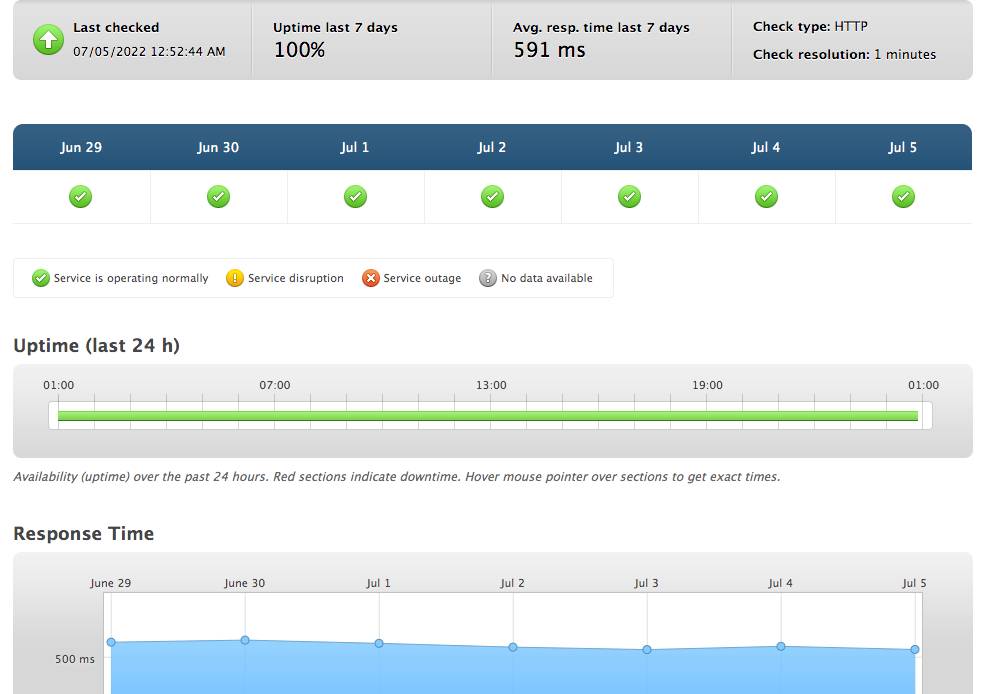
The image above is historical. Current load times depend on the plan, site content, caching, test location, and measurement period. A provider’s uptime guarantee is different from measured uptime.
WordPress installation and migration
Use the current setup or migration tools in your account. Test forms, redirects, and important pages before changing DNS.
Archived setup video: the current dashboard and installation steps may differ.
Customer support
Starter lists 24/7 chat support. Phone support is excluded from this plan; check higher tiers if you require it.
Pricing and plans
The displayed Starter offer is $3.99 per month for 36 months, or $143.64 upfront before tax and extras. The renewal equivalent is $9.99 per month.
What to check before choosing
Compare storage needs and backup frequency before paying for three years. Include later domain and email charges in the budget.
Source: Bluehost official information.
2. Hostinger

- 3 websites
- 20 GB SSD storage
- Weekly backups
- $2.99/month
- 48 months prepaid
- Ongoing: $10.99/month equivalent
Reasons to consider and trade-offs
Reasons to consider
- Low introductory rate
- First-year domain offer
Trade-offs
- 48-month introductory commitment
- Premium backups are weekly
Hostinger Premium is a candidate for a long-term budget project. It lists three websites and 20 GB SSD storage. Its weekly backup schedule differs from higher plans with daily backups.
Performance: interpreting the older screenshots
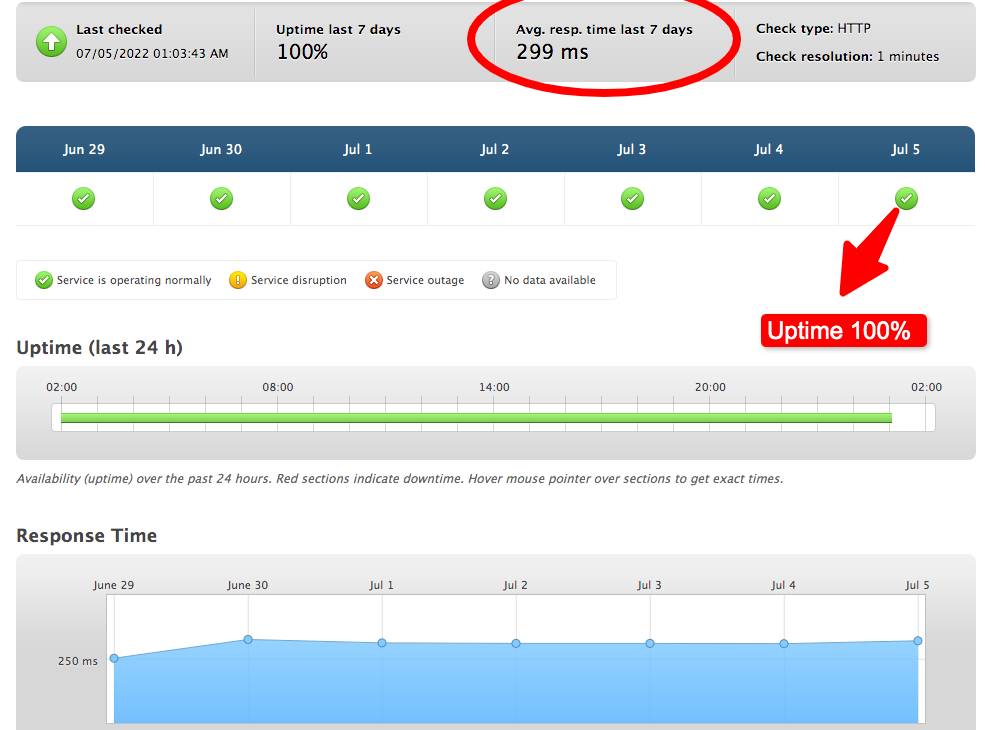
The image above is historical. Current load times depend on the plan, site content, caching, test location, and measurement period. A provider’s uptime guarantee is different from measured uptime.
WordPress installation and migration
Use the account setup tools for a new site or confirm the migration process for an existing one. Preview your theme and required plugins before launch.
Customer support
Hostinger advertises 24/7 support. Confirm the available channels and scope for your selected plan rather than assuming telephone support is included.
Pricing and plans
Premium is displayed at $2.99 per month for 48 months, totaling $143.52 upfront. It renews at a $10.99 monthly equivalent. Domain and mailbox promotions have their own expiry terms.
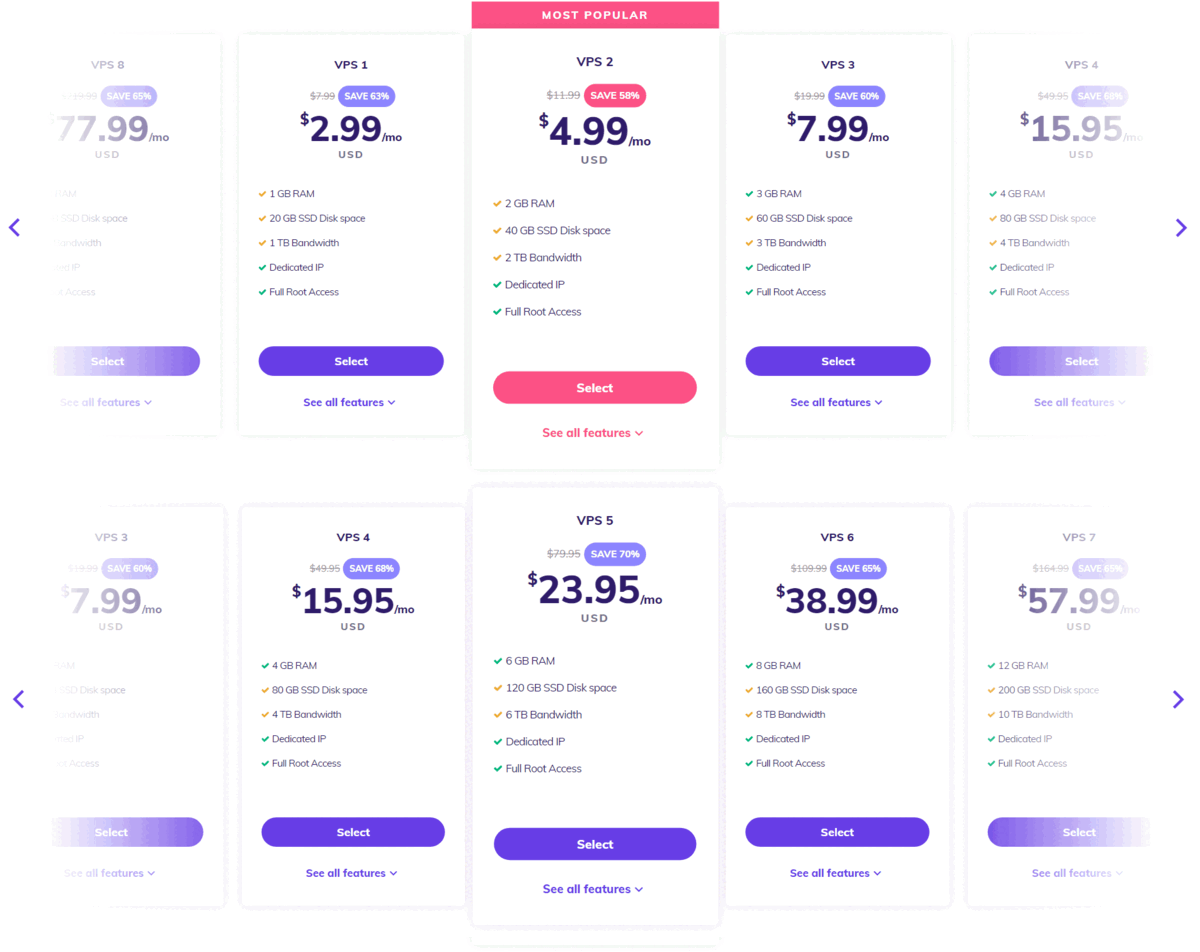
Archived illustration retained from the earlier article. Use the linked current plan page for prices and inclusions.
What to check before choosing
Weigh the four-year commitment against flexibility. For more options, see our cheap WordPress hosting comparison.
Source: Hostinger official information.
3. Cloudways
- Choice of cloud infrastructure
- Staging and cloning
- Vertical scaling
- Check selected server quote
- Usage-based cloud hosting
- Ongoing: Depends on resources and extras
Reasons to consider and trade-offs
Reasons to consider
- Control over server resources
- Migration option listed
Trade-offs
- Backup storage costs extra
- More configuration choices to manage
Cloudways Flexible is worth comparing when you want managed cloud hosting with control over server resources. Choose the cloud infrastructure and configuration for your WordPress site. Cloudways Autonomous is a separate autoscaling product with different pricing.
Performance: interpreting the older screenshots
No new performance test was conducted for this comparison. Current load times depend on the plan, site content, caching, test location, and measurement period. A provider’s uptime guarantee is different from measured uptime.
WordPress installation and migration
The Flexible plans page lists migration, staging, and cloning. Before moving a live site, test a copy of your theme, plugins, forms, and checkout. Confirm the migration scope for your account.
Customer support
Review the included support scope and the price of any upgraded support package before signing up. Ask who handles plugin errors and application troubleshooting.
Pricing and plans
Check the live quote for your chosen cloud provider, server size, and region. Compare the hourly rate with the estimated monthly bill, and include offsite backup storage and any paid add-ons. Avoid treating a headline starting price as the total cost for every configuration.
What to check before choosing
Start with the resources your site needs, then monitor actual usage. If several sites share one server, allow headroom for their combined traffic. Test a representative page and checkout before increasing resources.
Source: Cloudways official information.
4. Kinsta

- 1 WordPress installation
- 10 GB storage
- 14-day backup retention
- $35/month after promotion
- Monthly option
- Ongoing: $35/month on selected option
Reasons to consider and trade-offs
Reasons to consider
- Monthly billing option
- Separate resource allowances
Trade-offs
- Higher ongoing budget
- Bandwidth limits to review
Kinsta is a managed WordPress option for a larger hosting budget. Its Single 20GB configuration lists 10 GB storage, 20 GB monthly server bandwidth, and 125 GB CDN bandwidth. The plan name does not describe its storage allowance.
Performance: interpreting the older screenshots
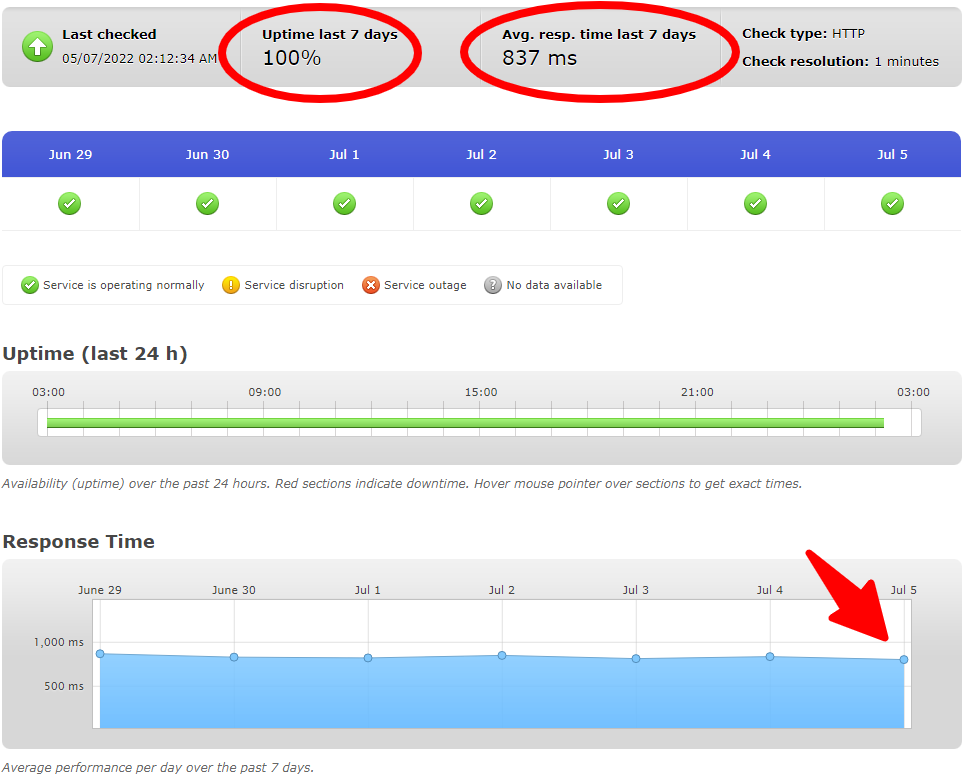
The image above is historical. Current load times depend on the plan, site content, caching, test location, and measurement period. A provider’s uptime guarantee is different from measured uptime.
WordPress installation and migration
Confirm the installation or migration workflow for your project. Keep a backup and verify the migrated site before directing visitors to it.
Customer support
Check the support access and escalation process for the selected configuration. This comparison does not measure support response times.
Pricing and plans
The monthly option displays a free first month followed by $35 per month. Annual billing is a different selection; confirm its full charge rather than mixing the two prices.
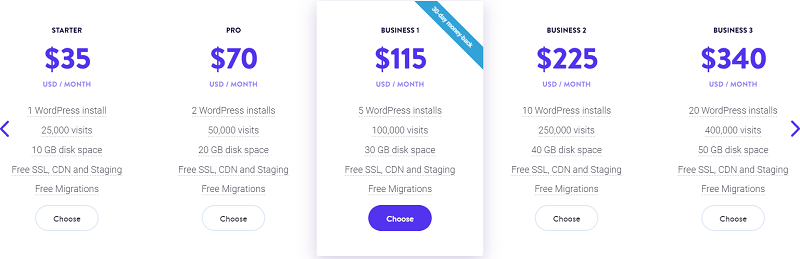
Archived illustration retained from the earlier article. Use the linked current plan page for prices and inclusions.
What to check before choosing
Check traffic billing, bandwidth, and possible extra charges. Do not assume a domain registration or email service is bundled with the hosting plan.
Related reading: our Kinsta review.
Source: Kinsta official information.
5. SiteGround

- 1 website
- 10 GB storage
- SSL, CDN and backups listed
- $2.99/month
- 12 months prepaid
- Ongoing: $17.99/month equivalent
Reasons to consider and trade-offs
Reasons to consider
- 12-month entry offer
- Email included
Trade-offs
- Large renewal increase
- Single-site allowance
SiteGround StartUp is a one-site option with 10 GB storage. It lists SSL, CDN, backups, and email. Review higher plans if you need multiple sites or features outside the entry tier.
Performance: interpreting the older screenshots
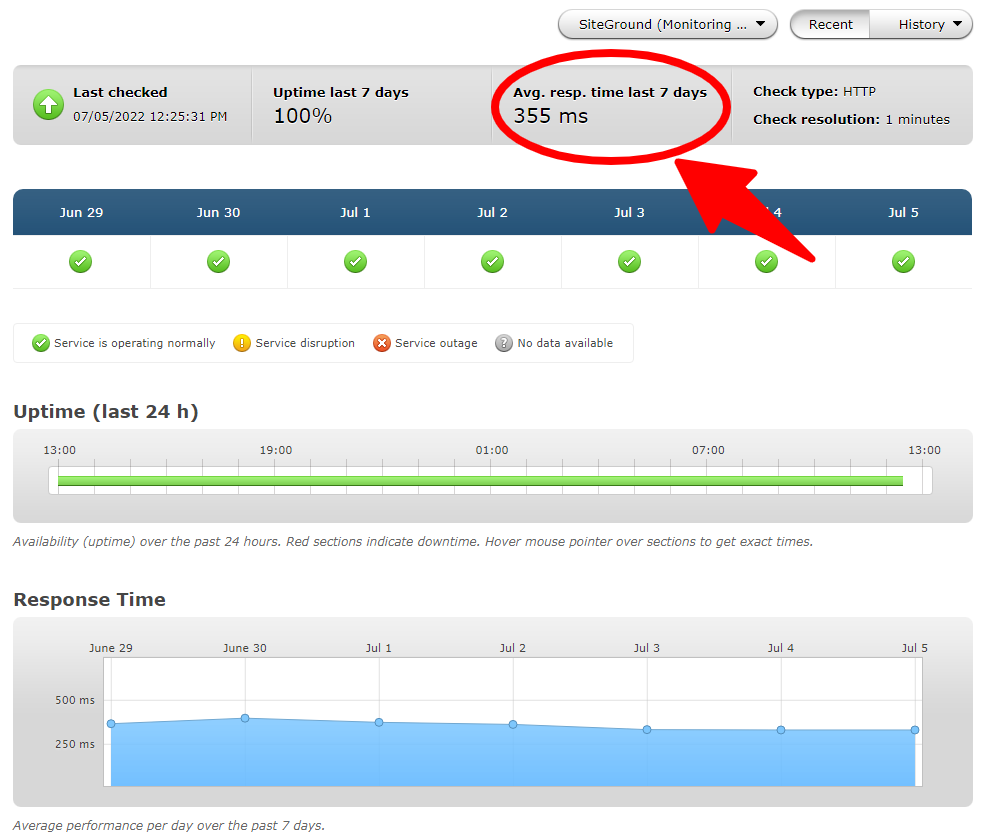
The image above is historical. Current load times depend on the plan, site content, caching, test location, and measurement period. A provider’s uptime guarantee is different from measured uptime.
WordPress installation and migration
Check the current WordPress setup and migration options. Confirm the server location and test the copied site before completing a move.
Customer support
Ask which support channels and troubleshooting tasks are covered. A support-quality ranking requires evidence beyond a provider’s feature list.
Pricing and plans
The US-dollar offer checked was $2.99 per month prepaid for 12 months, totaling $35.88. The displayed renewal equivalent was $17.99 per month. Regional offers and billing choices can differ.

Archived illustration retained from the earlier article. Use the linked current plan page for prices and inclusions.
What to check before choosing
Budget at the renewal rate, not just the first-year rate. Twelve months at $17.99 would total $215.88 before tax and extras.
Source: SiteGround official information.
6. HostGator

- Compare plan resources
- Confirm migration method
- Review renewal quote
- Check live quote
- Depends on selected plan
- Ongoing: Confirm at checkout
Reasons to consider and trade-offs
Reasons to consider
- Consider alongside shared-hosting options
- Choose resources for the project
Trade-offs
- Verify full prepaid term
- Check refund exclusions
Include HostGator in a comparison if its current hosting package matches your website requirements. Check whether the selected offer is shared hosting suitable for WordPress or a distinct managed WordPress service.
Performance: interpreting the older screenshots
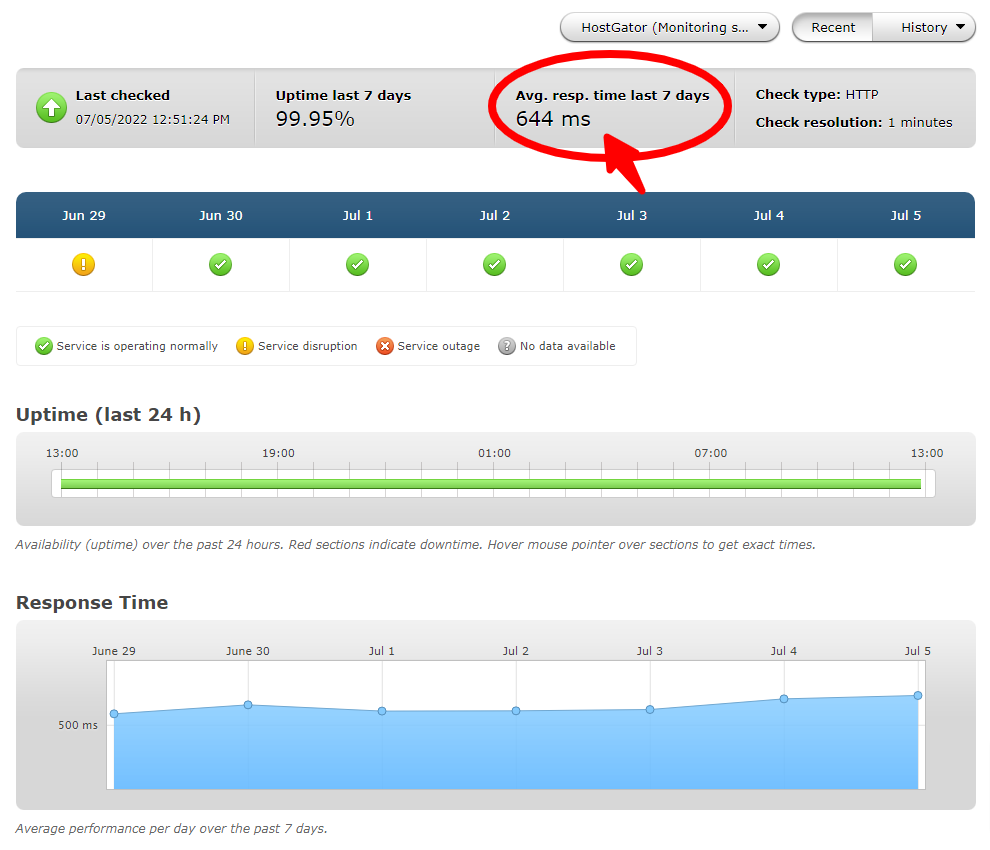
The image above is historical. Current load times depend on the plan, site content, caching, test location, and measurement period. A provider’s uptime guarantee is different from measured uptime.
WordPress installation and migration
Confirm the installer and migration process included with the selected package. Our WordPress installation guide explains the general setup process.
Customer support
Verify the support channels for your plan and location. No timed support test is included here.
Pricing and plans
Use a current checkout quote showing the initial total and renewal amount. The earlier $2.75 and $2.64 offers are not used as current prices. HostGator’s published refund terms include exclusions, so read them before purchase.
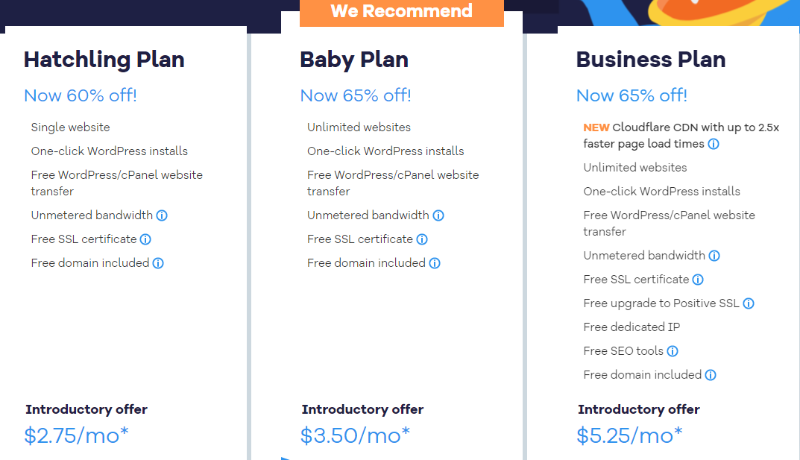
Archived illustration retained from the earlier article. Use the linked current plan page for prices and inclusions.
What to check before choosing
Check storage, CPU or usage limits, backup terms, and the renewal bill. “Unmetered” does not mean unlimited computing resources.
Source: HostGator official information.
7. WP Engine

- Managed WordPress platform
- Configuration-based resources
- Review add-on costs
- Check live quote
- Depends on configuration
- Ongoing: Confirm in quote
Reasons to consider and trade-offs
Reasons to consider
- Plans for different project sizes
- Compare operational features
Trade-offs
- Confirm usage limits
- Price depends on configuration
WP Engine is a managed WordPress platform to compare for sites with ongoing operational requirements. Its plans page distinguishes Essential, Core, and Enterprise offerings; choose a specific configuration before comparing costs.
Performance: interpreting the older screenshots
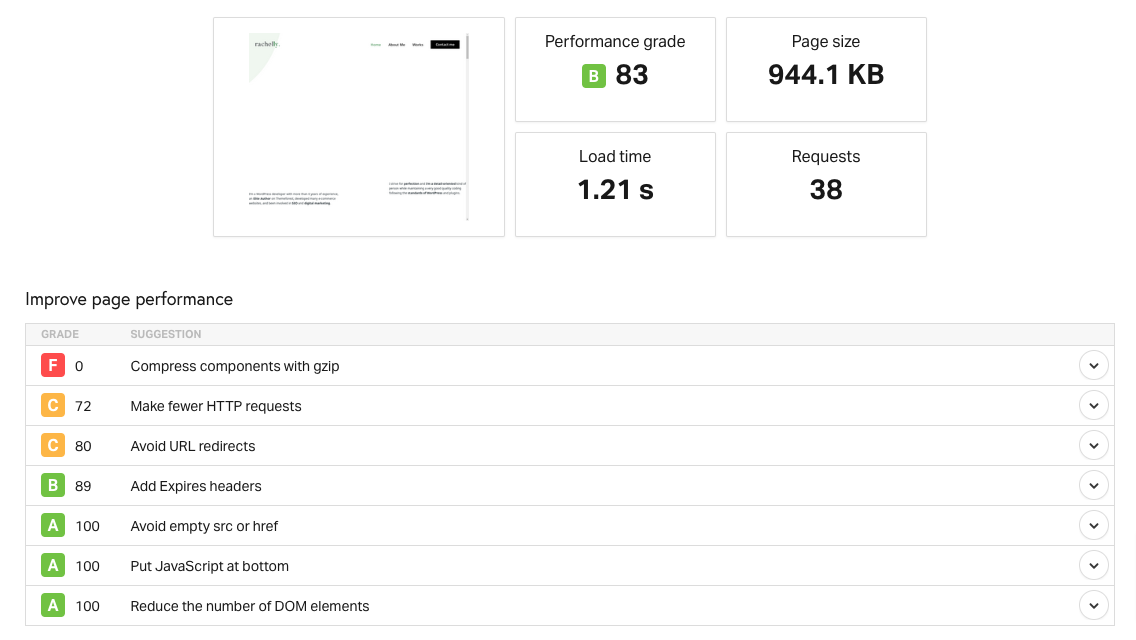
The image above is historical. Current load times depend on the plan, site content, caching, test location, and measurement period. A provider’s uptime guarantee is different from measured uptime.
WordPress installation and migration
Ask about migration assistance, staging, and deployment workflows for your plan. Test the site and integrations before switching the live domain.
Customer support
Confirm the included support channels and escalation terms. Higher-tier response targets should not be presented as guarantees for every account.
Pricing and plans
Request the current initial and recurring quote for your selected site count and resource needs. This update does not repeat the inconsistent $20, $25, and $27 figures from the older article.
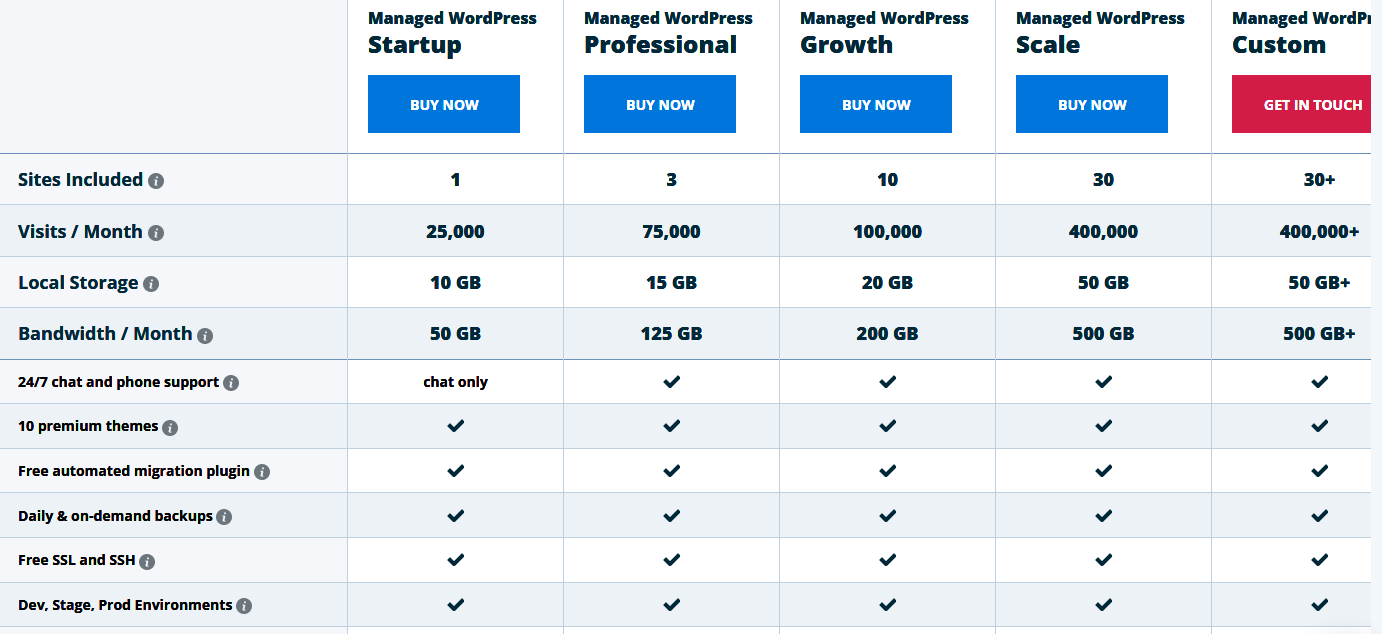
Archived illustration retained from the earlier article. Use the linked current plan page for prices and inclusions.
What to check before choosing
Include required add-ons in the comparison. Managed hosting does not automatically cover every task in a WordPress maintenance service.
Source: WP Engine official information.
8. hosting.com (formerly A2 Hosting)

- A2 Hosting is now hosting.com
- Confirm current product tier
- Review migration requirements
- Check live quote
- Depends on selected plan
- Ongoing: Confirm at checkout
Reasons to consider and trade-offs
Reasons to consider
- Current offers available under hosting.com
- Compare with existing A2 account
Trade-offs
- Legacy plans may differ
- Old promotional rates excluded
A2 Hosting has evolved into hosting.com. The older A2 logo and screenshots are retained as historical references. Check the current product name, platform, and terms rather than assuming an old A2 package is still sold unchanged.
Performance: interpreting the older screenshots
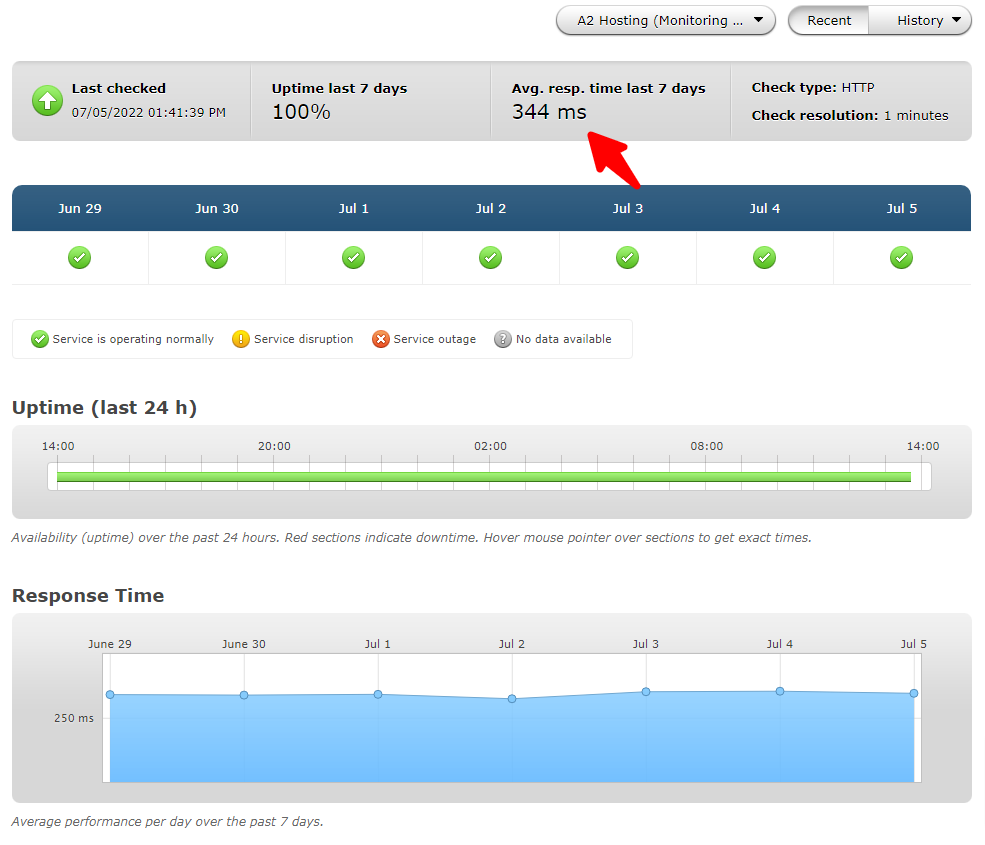
The image above is historical. Current load times depend on the plan, site content, caching, test location, and measurement period. A provider’s uptime guarantee is different from measured uptime.
WordPress installation and migration
For an existing account, confirm which platform manages the site before following an older A2 setup guide. Ask about migration steps if changing product tiers.
Customer support
Use the support route supplied for your account. Check the scope of help before making a platform change.
Pricing and plans
Compare the current hosting.com quote with your actual renewal invoice. The old $2.99 offer and claims about Turbo plans are not treated as current terms.
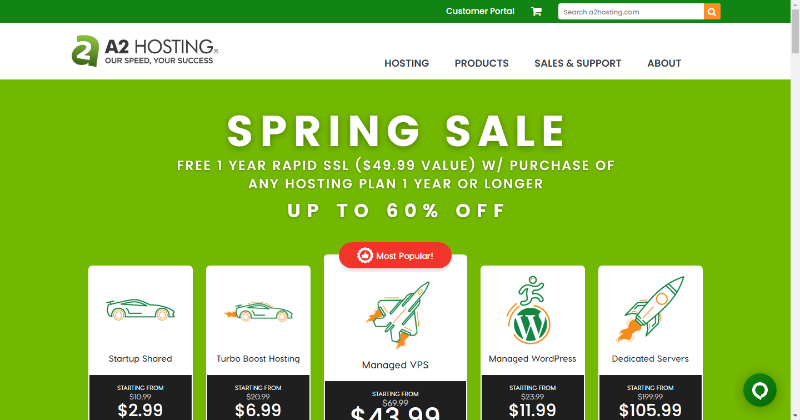
Archived illustration retained from the earlier article. Use the linked current plan page for prices and inclusions.
What to check before choosing
Request the full initial charge, renewal rate, backup schedule, and resource limits. Keep a tested copy of the site before migrating.
Source: hosting.com (formerly A2 Hosting) official information.
9. DreamHost

- Daily backups listed
- NVMe storage
- DreamPress is a separate option
- Check local-currency quote
- Term-dependent offer
- Ongoing: Confirm selected currency and term
Reasons to consider and trade-offs
Reasons to consider
- Entry and managed tiers
- Published migration options
Trade-offs
- Email offers have limits
- Currency and term affect quote
DreamHost offers entry WordPress hosting and a separate DreamPress managed service. Its current page lists daily backups and NVMe storage. Compare the exact tier rather than applying DreamPress features to every plan.
Performance: interpreting the older screenshots
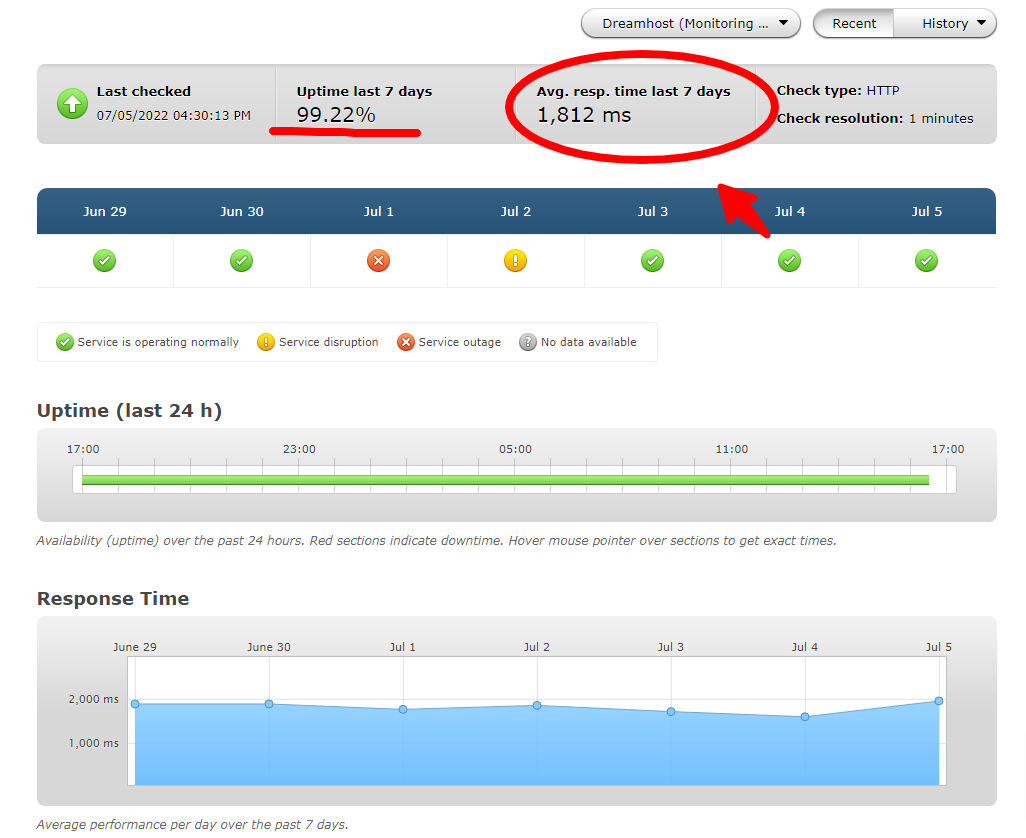
The image above is historical. Current load times depend on the plan, site content, caching, test location, and measurement period. A provider’s uptime guarantee is different from measured uptime.
WordPress installation and migration
Use the provider’s migration or installation process. Verify the dashboard, domain mapping, and required plugins before launch.
Customer support
DreamHost lists email and chat support. Confirm the services covered for your particular account.
Pricing and plans
Select your currency and commitment length for an accurate quote. The retrieved offer was localized, so this table does not convert it into an unverified USD rate. Review email-trial expiry and domain renewal separately.
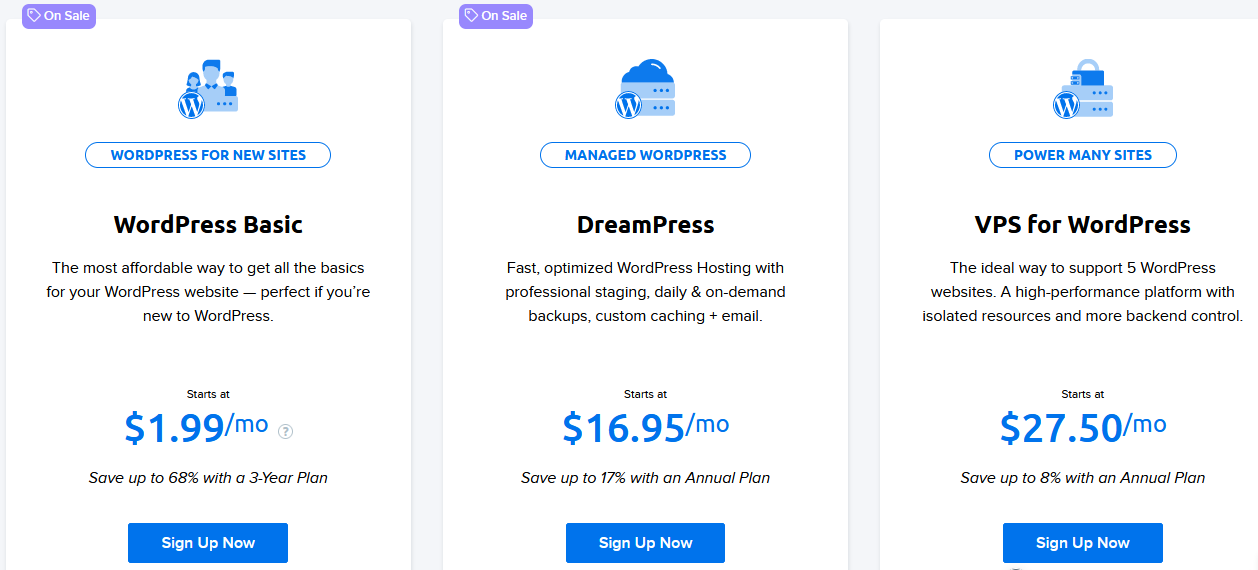
Archived illustration retained from the earlier article. Use the linked current plan page for prices and inclusions.
What to check before choosing
Check the current refund conditions. Do not assume the older article’s 97-day guarantee or $2.59 offer applies to the plan you are buying.
Source: DreamHost official information.
10. Flywheel

- WordPress-focused hosting
- Compare site allowances
- Check included workflow tools
- Check live quote
- Confirm monthly or annual option
- Ongoing: Confirm in quote
Reasons to consider and trade-offs
Reasons to consider
- Consider for client projects
- Review available plan tiers
Trade-offs
- Email hosting separate
- Refund eligibility varies
Flywheel is worth comparing for a WordPress project where site management and client workflows matter. Check the features and site allowance of the exact plan you select.
Performance: interpreting the older screenshots
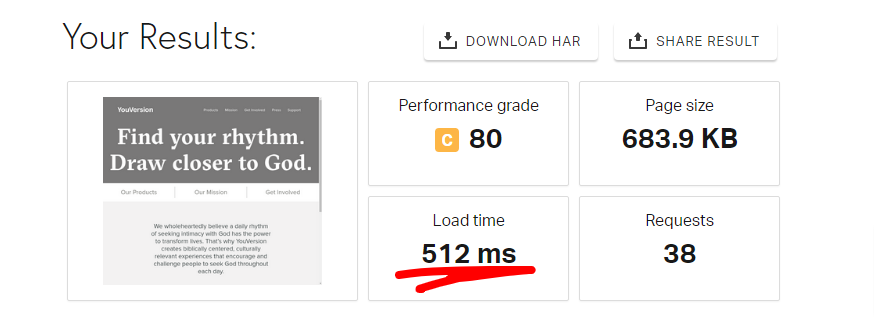
The image above is historical. Current load times depend on the plan, site content, caching, test location, and measurement period. A provider’s uptime guarantee is different from measured uptime.
WordPress installation and migration
Confirm how a new site or existing installation moves onto your account. Test any local-development or staging workflow before relying on it for client work.
Customer support
Ask which support channels are included and whether the plan covers the assistance you need.
Pricing and plans
Use the current quote for the selected billing term. The published guarantee has eligibility rules and excludes certain plans and renewals; it is not a universal three-month free trial.
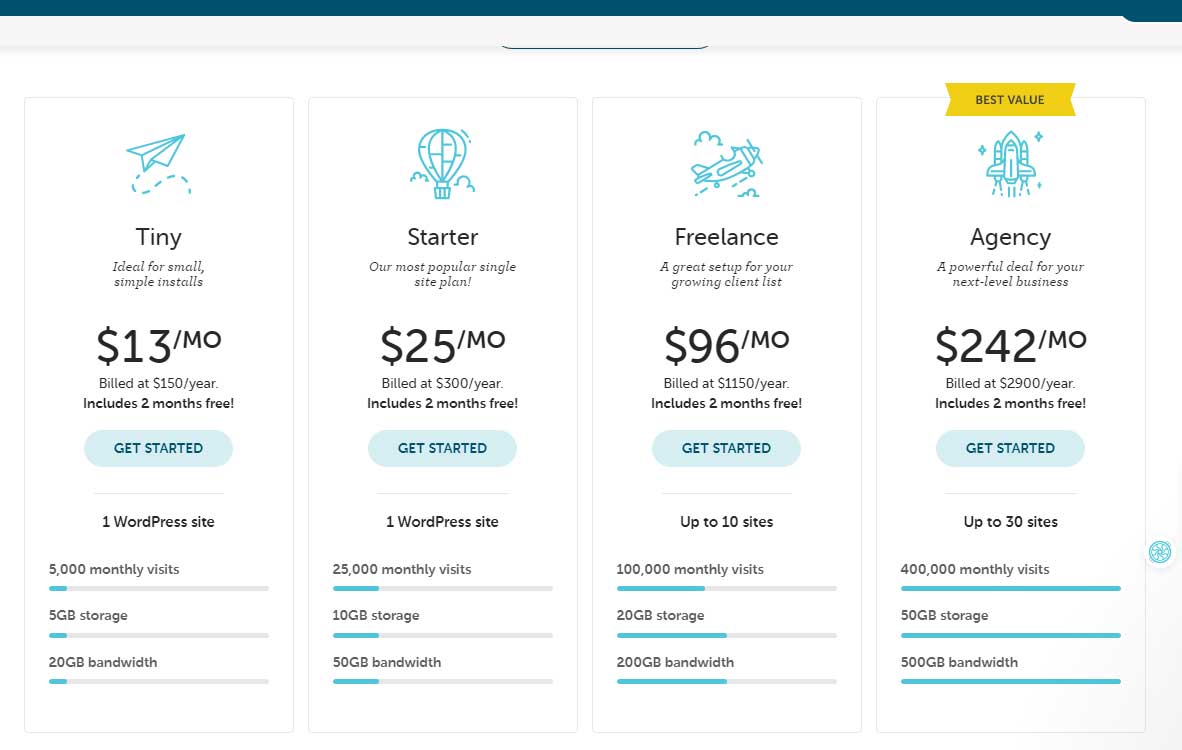
Archived illustration retained from the earlier article. Use the linked current plan page for prices and inclusions.
What to check before choosing
Budget separately for email hosting and confirm storage, visits, and bandwidth allowances. Do not use the older screenshot as a current price quote.
Source: Flywheel official information.
11. GoDaddy

- 1 included website
- 10 GB NVMe storage
- Daily backups listed
- $6.99/month introductory
- First 12-month term
- Ongoing: Confirm recurring quote
Reasons to consider and trade-offs
Reasons to consider
- WordPress pre-installed
- Managed update features
Trade-offs
- Check renewal price
- Some features require higher tiers
GoDaddy Managed WordPress Basic lists one included website and 10 GB NVMe storage. The product page includes pre-installed WordPress and daily backups; check higher tiers for additional features.
Performance: interpreting the older screenshots
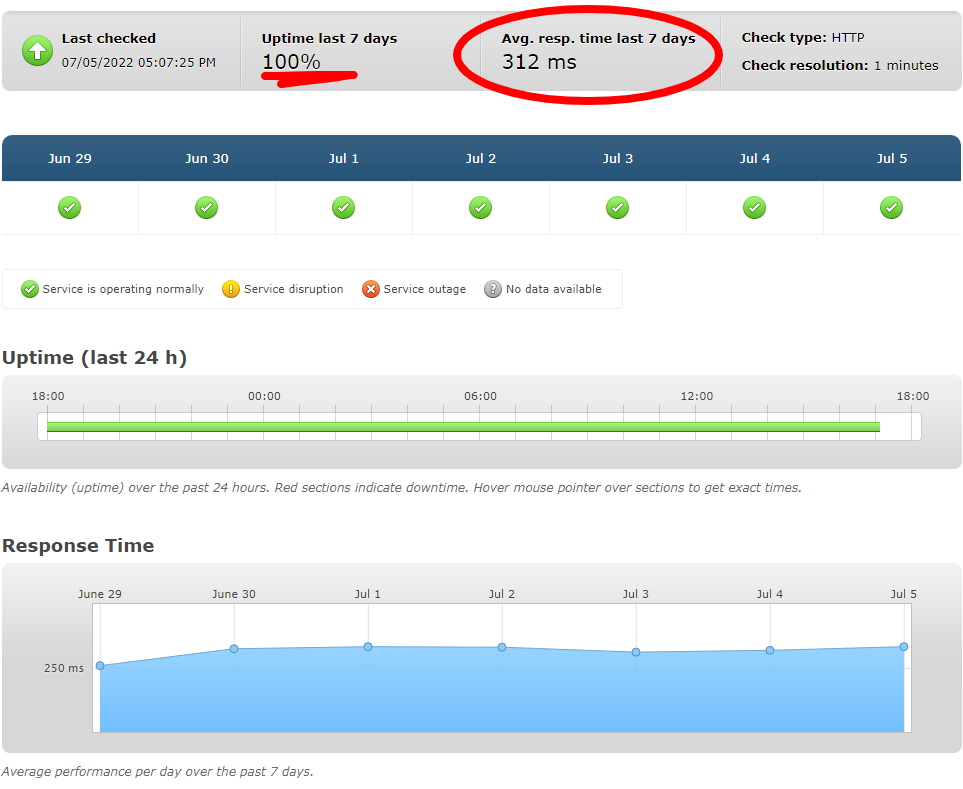
The image above is historical. Current load times depend on the plan, site content, caching, test location, and measurement period. A provider’s uptime guarantee is different from measured uptime.
WordPress installation and migration
Use the onboarding or migration workflow for Managed WordPress. It is distinct from other GoDaddy hosting products.
Customer support
Confirm the support channel available in your location. The old claim of a minimum 40-minute wait is not retained as a current measurement.
Pricing and plans
The displayed Basic offer is $6.99 per month for the first one-year term, or $83.88 before extras. Confirm the recurring quote; a crossed-out reference price alone should not be treated as a guaranteed renewal bill.
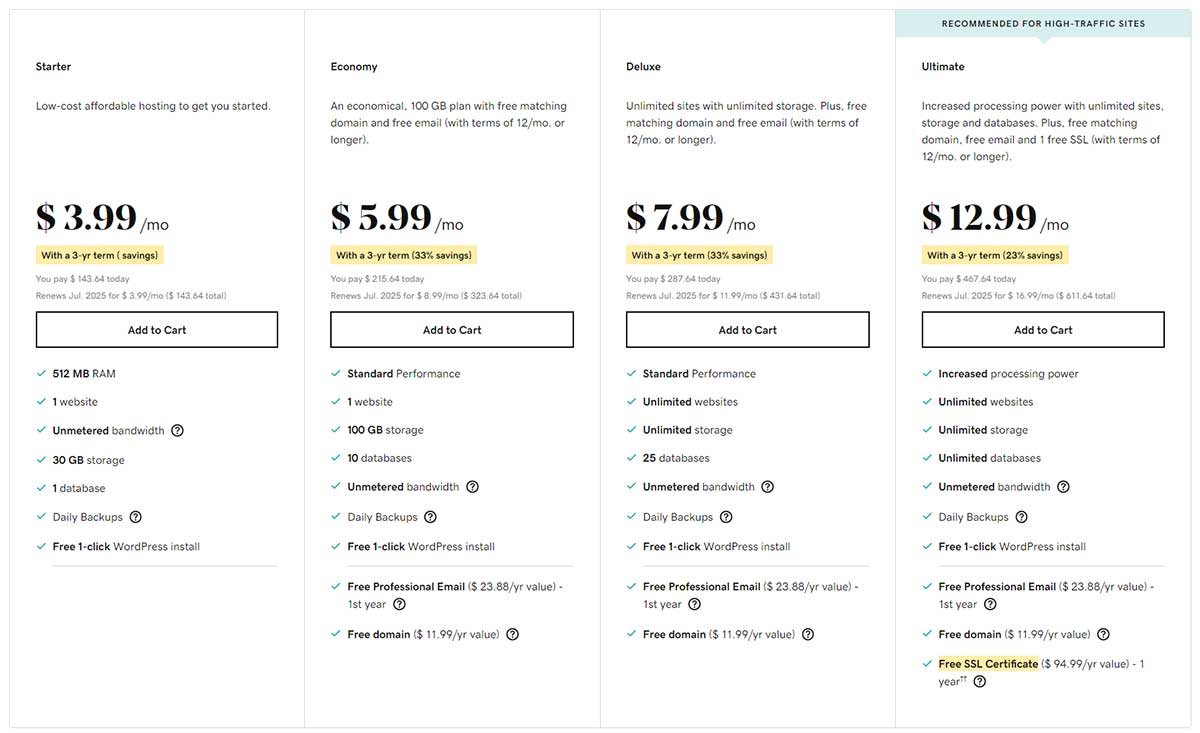
Archived illustration retained from the earlier article. Use the linked current plan page for prices and inclusions.
What to check before choosing
Review the terms for domain and email promotions. Include the price of any extra sites or storage in the total.
Source: GoDaddy official information.
12. Nexcess / Liquid Web

- Current offer on Liquid Web
- Staging listed
- Backup retention varies by tier
- Check live quote
- Monthly or annual selection
- Ongoing: Confirm selected plan
Reasons to consider and trade-offs
Reasons to consider
- Managed WordPress features
- Several resource configurations
Trade-offs
- Check selected visitor tier
- Migration service differs by tier
The Nexcess WordPress product URL now leads to Liquid Web’s managed WordPress offering. The Essentials configuration shown for one site lists 15 GB storage, 2 TB bandwidth, and a 50,000-monthly-visitor allowance.
Performance: interpreting the older screenshots
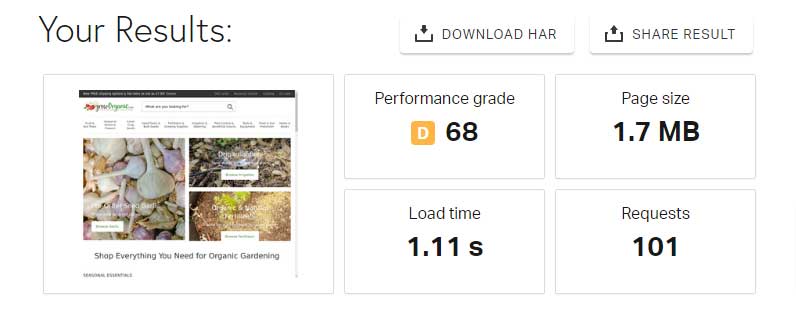
The image above is historical. Current load times depend on the plan, site content, caching, test location, and measurement period. A provider’s uptime guarantee is different from measured uptime.
WordPress installation and migration
Essentials lists a self-service migration tool. Confirm whether human-assisted migration is included in the tier you choose.
Customer support
Review support scope and backup restoration help before purchasing. Managed hosting is not a substitute for checking your application’s requirements.
Pricing and plans
Choose the site count, visitor tier, and monthly or annual billing option for a current quote. Essentials lists seven-day daily-backup retention; higher tiers list longer retention. Old Nexcess screenshots are not current Liquid Web price evidence.
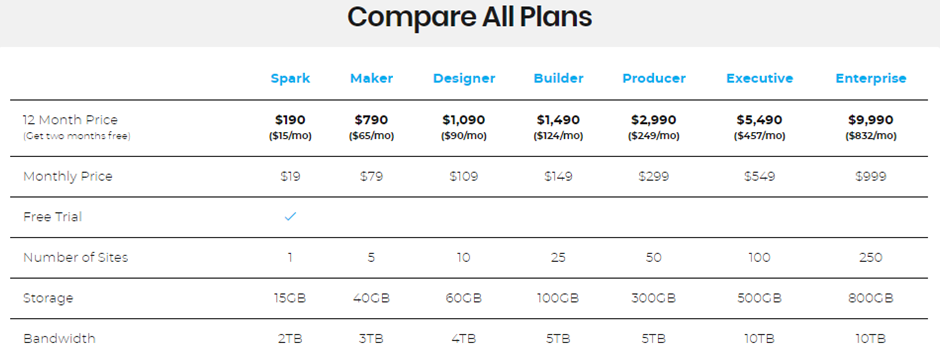
Archived illustration retained from the earlier article. Use the linked current plan page for prices and inclusions.
What to check before choosing
For a store, test checkout and recovery needs. See our WooCommerce hosting comparison for related considerations.
Source: Nexcess / Liquid Web official information.
6 Tips to Choose the Best WordPress Hosting
- Compare total costs. Record the initial payment, commitment length, and renewal term. Include domain renewals and email after any free period.
- Match resources to the website. Check storage, site count, bandwidth, and usage limits. A store or membership site may need more resources than a cached blog.
- Review backups and restoration. Ask about frequency, retention, restore fees, and whether the backup includes files and the database. Decide how much recent work you can afford to lose.
- Test migration and staging. Verify checkout, forms, logins, email delivery, and redirects on a copy before switching the live site.
- Evaluate performance consistently. Use the same site, caching settings, test location, and measurement method when comparing providers.
- Confirm support scope. Ask which channels are included and which WordPress tasks cost extra. Compare Hostinger or Kinsta against those requirements rather than a general ranking.
WordPress Hosting FAQs
WordPress hosting can simplify setup and maintenance through provider features such as installation tools, caching, backups, and support. Inclusions differ by plan. WordPress core does not automatically provide a complete backup service, so verify how files and the database are backed up and restored.
WordPress hosting is not always more expensive than general shared hosting. Managed plans may cost more because they include additional operational services or resources. Compare the exact features, initial term, renewal cost, and required extras rather than relying on the product label.
Free hosting can suit learning or a temporary experiment. Before using it for an important site, review storage, traffic limits, advertising, backups, support, and migration options. A paid plan may be more suitable when those limits or service terms do not meet your needs.
Which WordPress Host Should You Choose?
Start with two or three plans that fit your website and ongoing budget. Compare the full terms, test a representative version of your site, and choose based on the work you need the provider to handle. The cheapest introductory rate and the highest advertised resource allowance do not automatically make a plan the best fit.
Keep your domain renewal budget separate from hosting. For a new site, preview your WordPress theme and its required plugins before committing to a long-term plan.
More articles about WordPress hosting:
- Cheap WordPress Hosting
- Fastest WordPress Hosting
- Managed WordPress Hosting
- Cloud Hosting for WordPress
- WordPress VPS Hosting
- WooCommerce Hosting
- Best UK WordPress Hosting
- Best Headless WordPress Hosting
More articles about WordPress websites:
- How to Create a WordPress Website
- How to Start a WordPress Blog
- Best Free WordPress Themes
- How to Install WordPress

Ludjon, who co-founded Codeless, possesses a deep passion for technology and the web. With over a decade of experience in constructing websites and developing widely-used WordPress themes, Ludjon has established himself as an accomplished expert in the field.






Comments
I am searching on google for the Best WordPress hosting site list and I got it here. Thanks, admin!